An app to learn French Sign Language ten minutes a day, by redoing every sign in front of a camera mirror.

Pl. 02 / 16Case study

Paume

An app to learn French Sign Language ten minutes a day, by redoing every sign in front of a camera mirror.

Job ticketNo. Pl. 02 · 2026
Client
Personal projectInstallable web app, public beta at paume.pages.dev
Year
2026October 2026: research, app, identity and launch
Role
Research: needs, existing apps, studies on how signs are learnedDesign of the course and the lesson loopApp UI/UX, mobile firstComplete “Atelier papier” visual identityFront-end and back-end development, launchSelection and crediting of the 99 signer videos
Type of work
  • Web & App ✓
  • Branding ✓
  • Print
  • Motion
  • Social media
  • Illustration ✓
Deliverables
  • Installable web app (PWA) that works offline
  • Course of 4 units and 22 lessons, 99 filmed signs
  • Brand guidelines: logo and variants, colours, typefaces, 30 pictograms, 8 illustrations, social templates, animated logo
  • Brand tokens wired into the app’s code
Tools
  • React 19
  • TypeScript
  • Vite
  • PWA
  • MediaPipe
  • Cloudflare Pages
  • Cloudflare D1
  • PWA (Workbox)
  • ts-fsrs
  • Zustand
  • React Router 7
  • Vitest

The film

Presentation film made for this portfolio. The trajectory is the one the app measured on the reference video of the sign “Merci” (Laura Jauvert, CC BY 3.0).

Pl. 02 · The film0:00 / 0:00

The brief

For English or Spanish there are dozens of apps. For French Sign Language there are excellent video dictionaries and a few courses, but there you watch signs, you almost never make them. I wanted an app for people who want to learn LSF ten minutes a day, for instance to talk with a deaf relative.

The challenge

A sign language is learned with your hands: the app had to make people produce the gesture, not just recognise it, and correct it without the learner’s video ever leaving their phone. It also needed a warm identity that looked neither like clipart nor like a school app.

Features

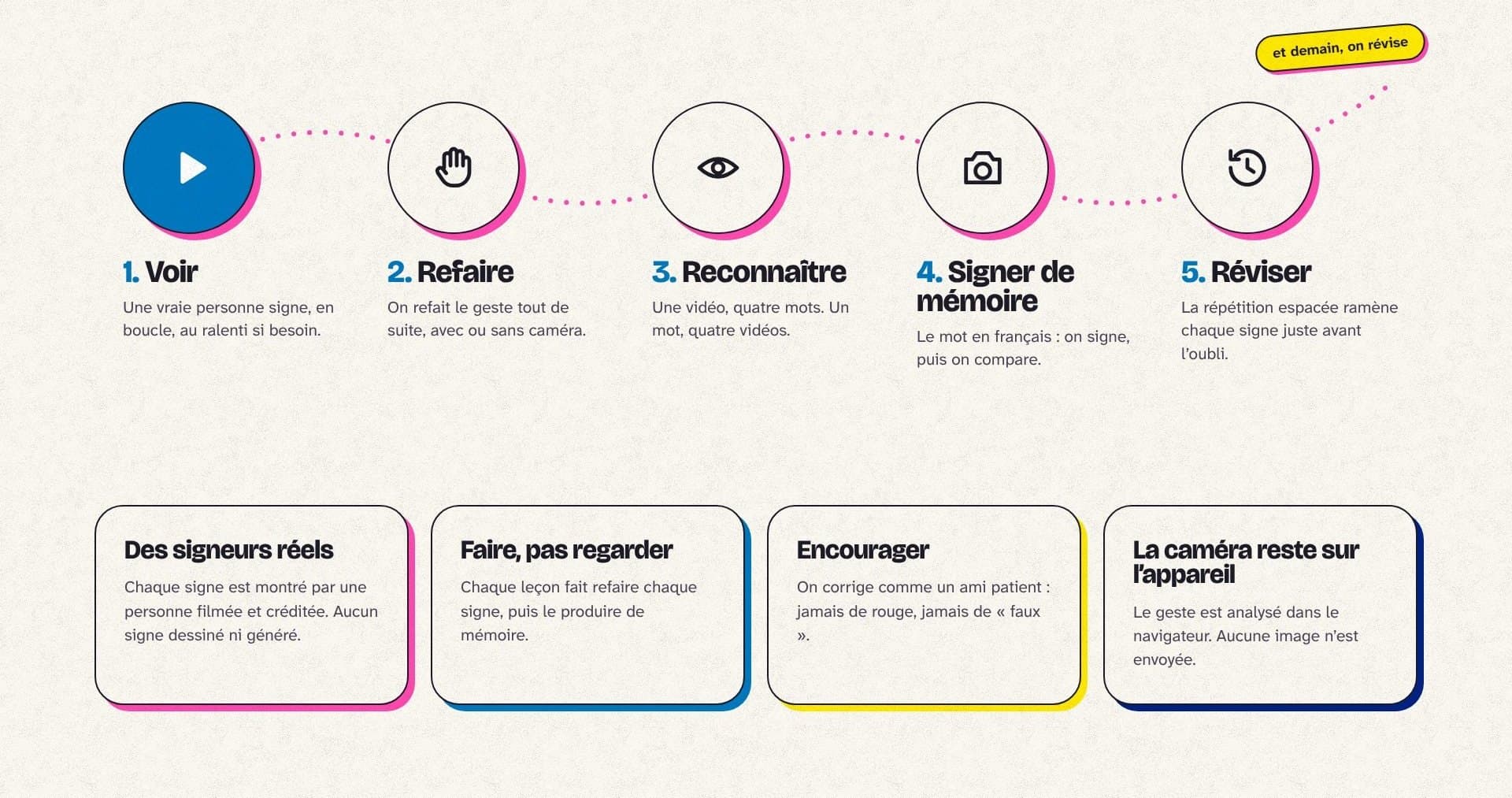
  • Short lessons: watch, redo, recognise, sign from memory, review
  • Spaced repetition, with two cards per sign (recognise and produce)
  • Camera mirror: the gesture is compared with the reference video, on the device
  • Fingerspelling: the manual alphabet, spelling and reading
  • Sign dictionary with a card per sign, slow motion and mirror
  • Streak, points and daily goal

The process

  1. 01Findings

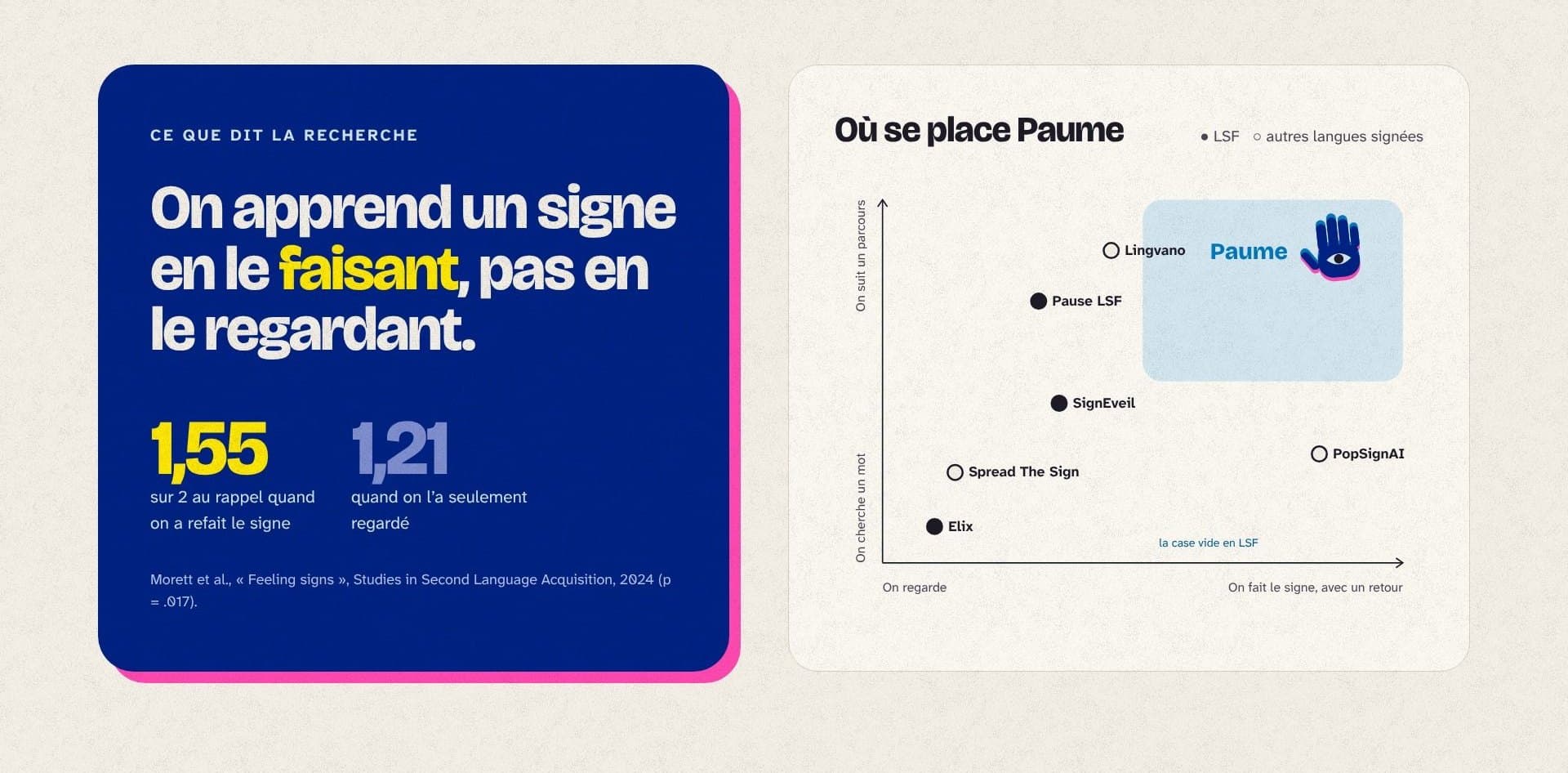
    I reviewed sign language apps and the available figures: about 100,000 deaf people have LSF as their main language and 250,000 people use it (Université de Rouen). A 2024 study (Morett et al.) shows that a sign you have reproduced is remembered better than one you have only watched.

  2. 02The lesson loop

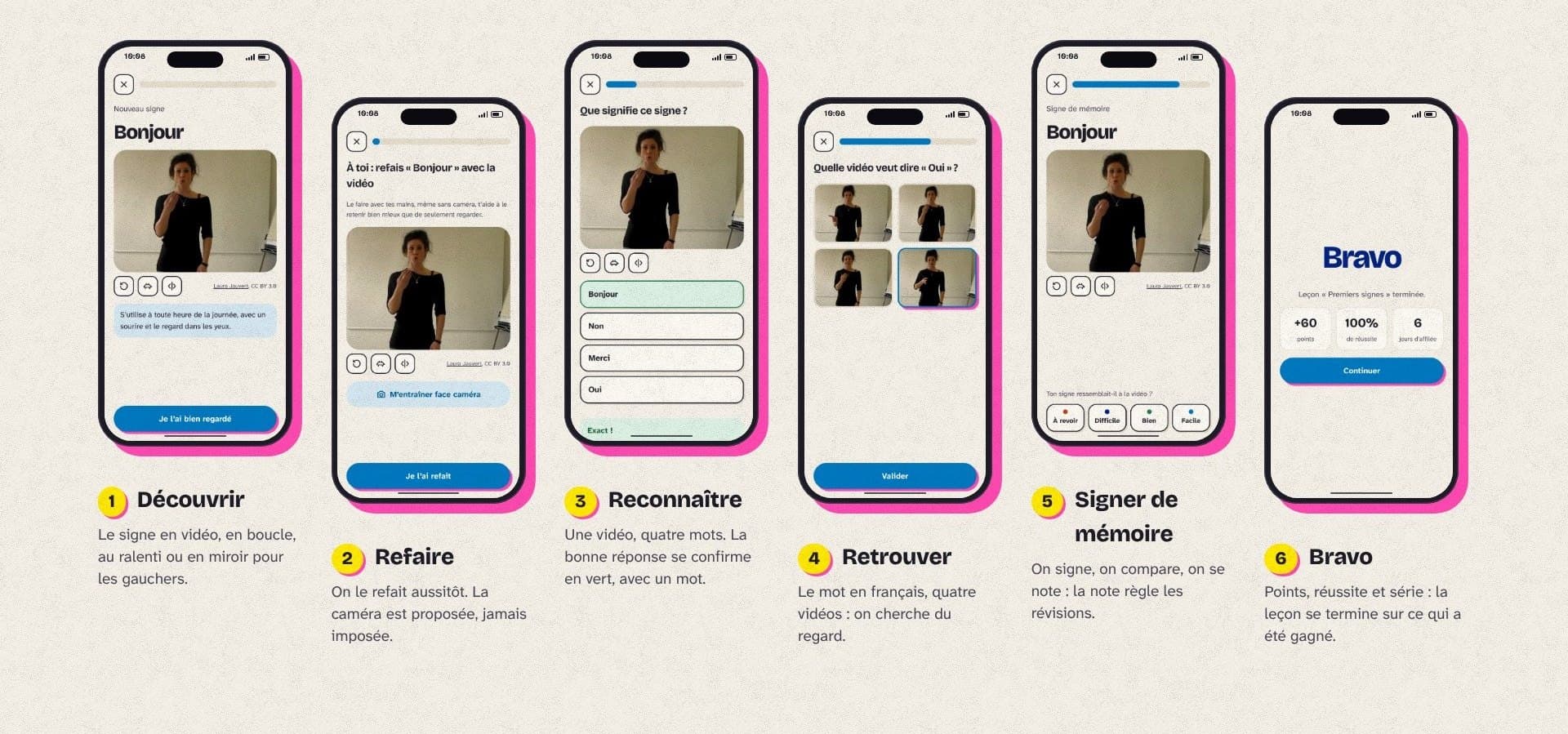
    Every lesson follows the same short loop: watch the sign, redo it, recognise it among four options, sign it from memory, then review it at the right time with spaced repetition (FSRS).

  3. 03The camera mirror

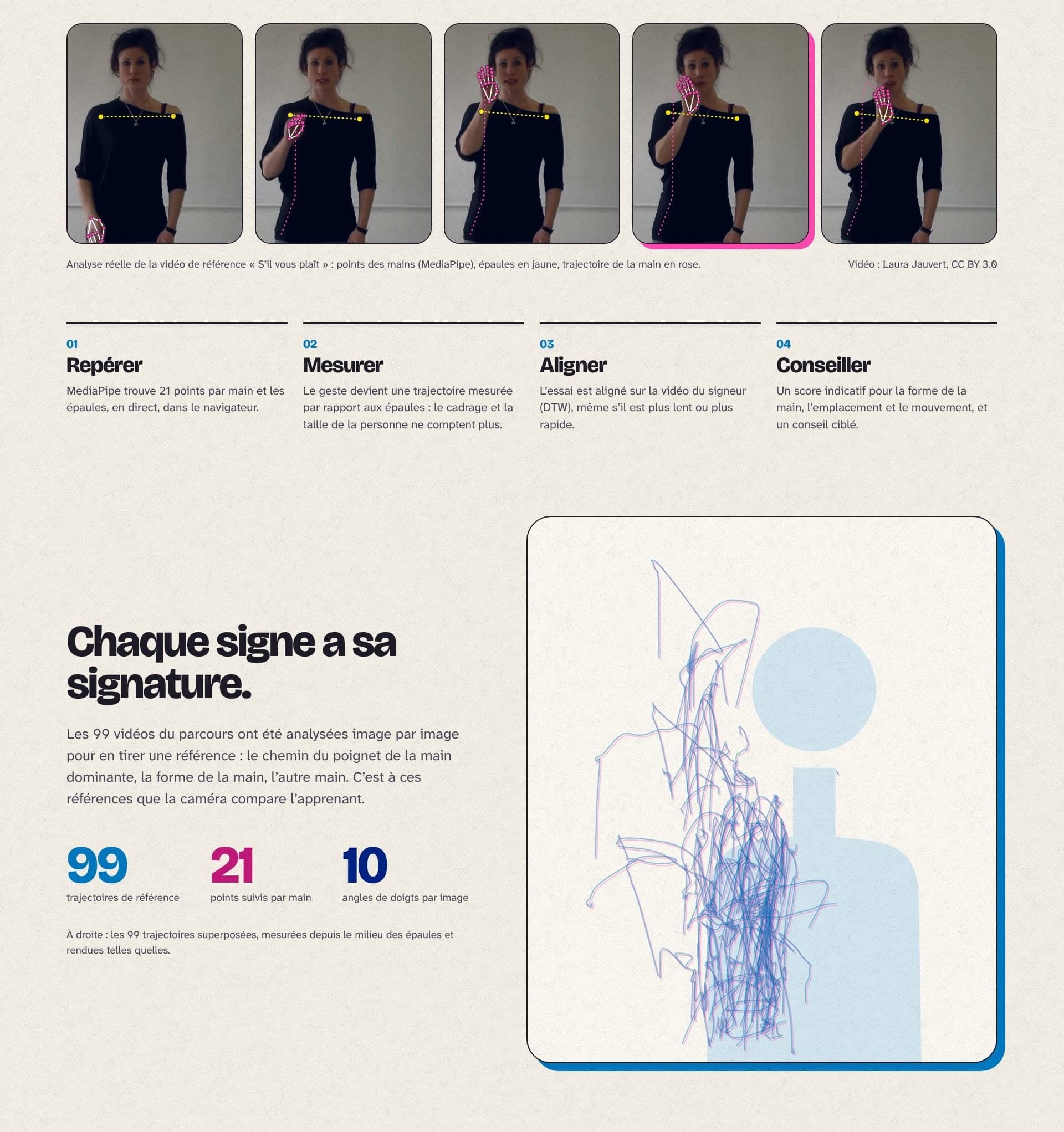
    MediaPipe finds the hands and shoulders in the browser. The points are normalised to the upper body, then the trajectory is aligned with the signer’s using DTW. The references were precomputed from the 99 videos in the course.

  4. 04The identity

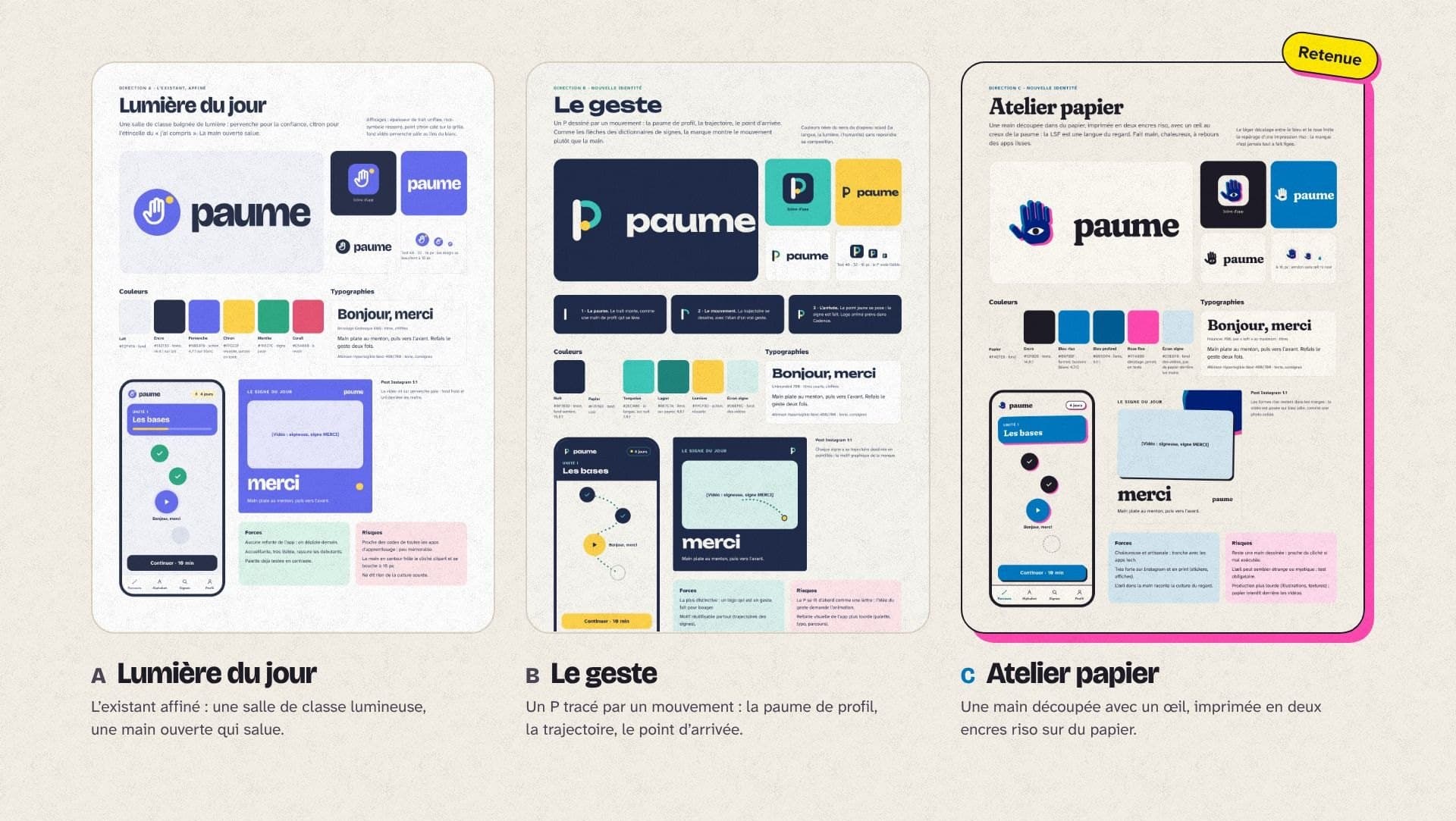
    On 20 October I presented three complete directions, each with a logo, palette, typefaces, an app screen and a post: Lumière du jour, Le geste and Atelier papier. I chose Atelier papier, keeping Bricolage Grotesque, the beta’s typeface, for the word “paume”.

  5. 05Launch

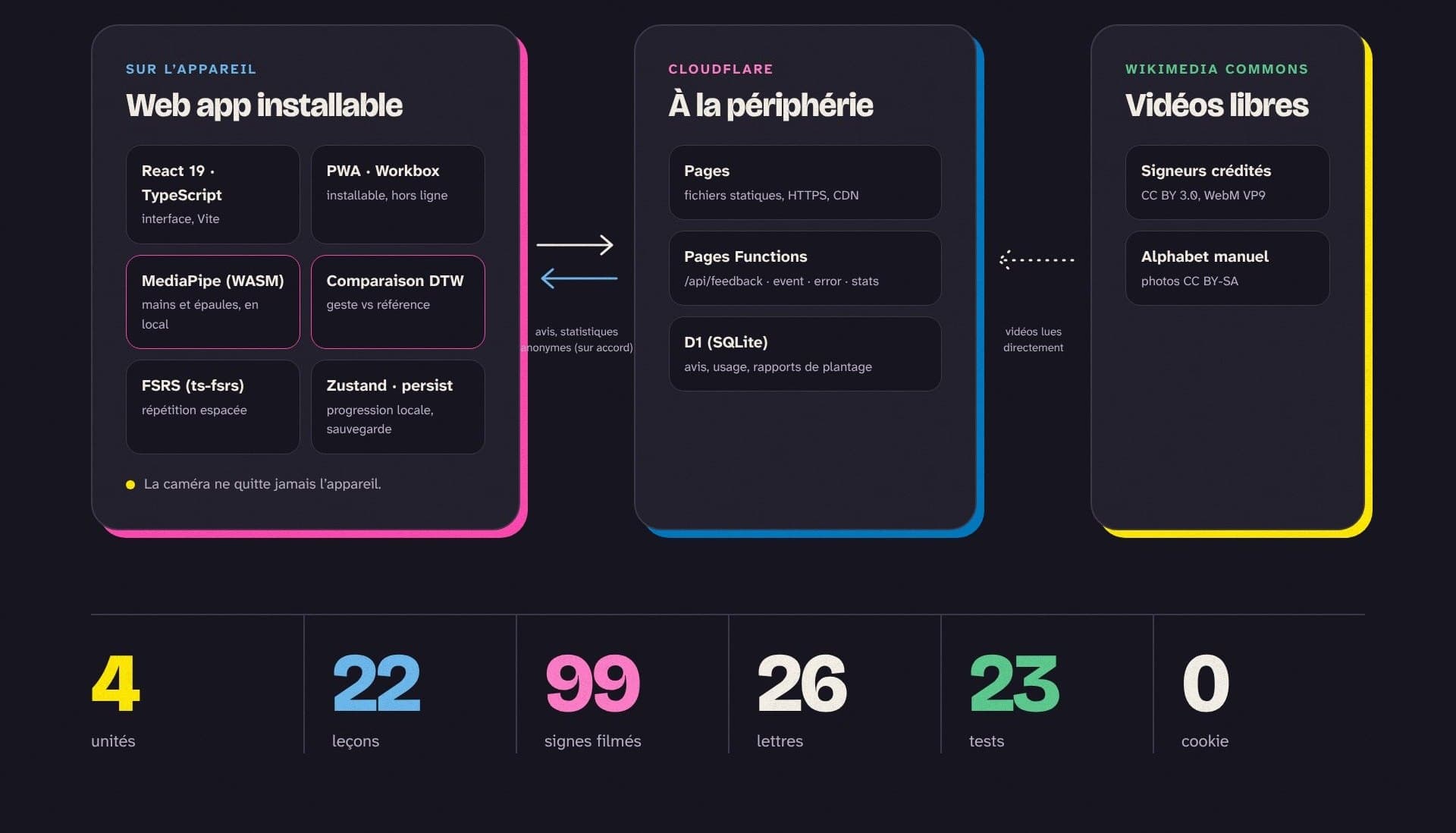
    The app can be installed and works offline. It is hosted on Cloudflare Pages; a few functions and a D1 database collect feedback and, only with consent, anonymous statistics.

Plates

Blue panel: a sign is learned better by doing it (1.55 vs 1.21), and a chart placing Paume among sign language apps
Pl. 02.1What research says, and where Paume stands
The five-step loop, watch, redo, recognise, sign from memory, review, and four principles
Pl. 02.2The lesson loop and its principles
Three direction boards: Lumière du jour, Le geste, Atelier papier (chosen)
Pl. 02.3Three directions presented on 20 October 2026
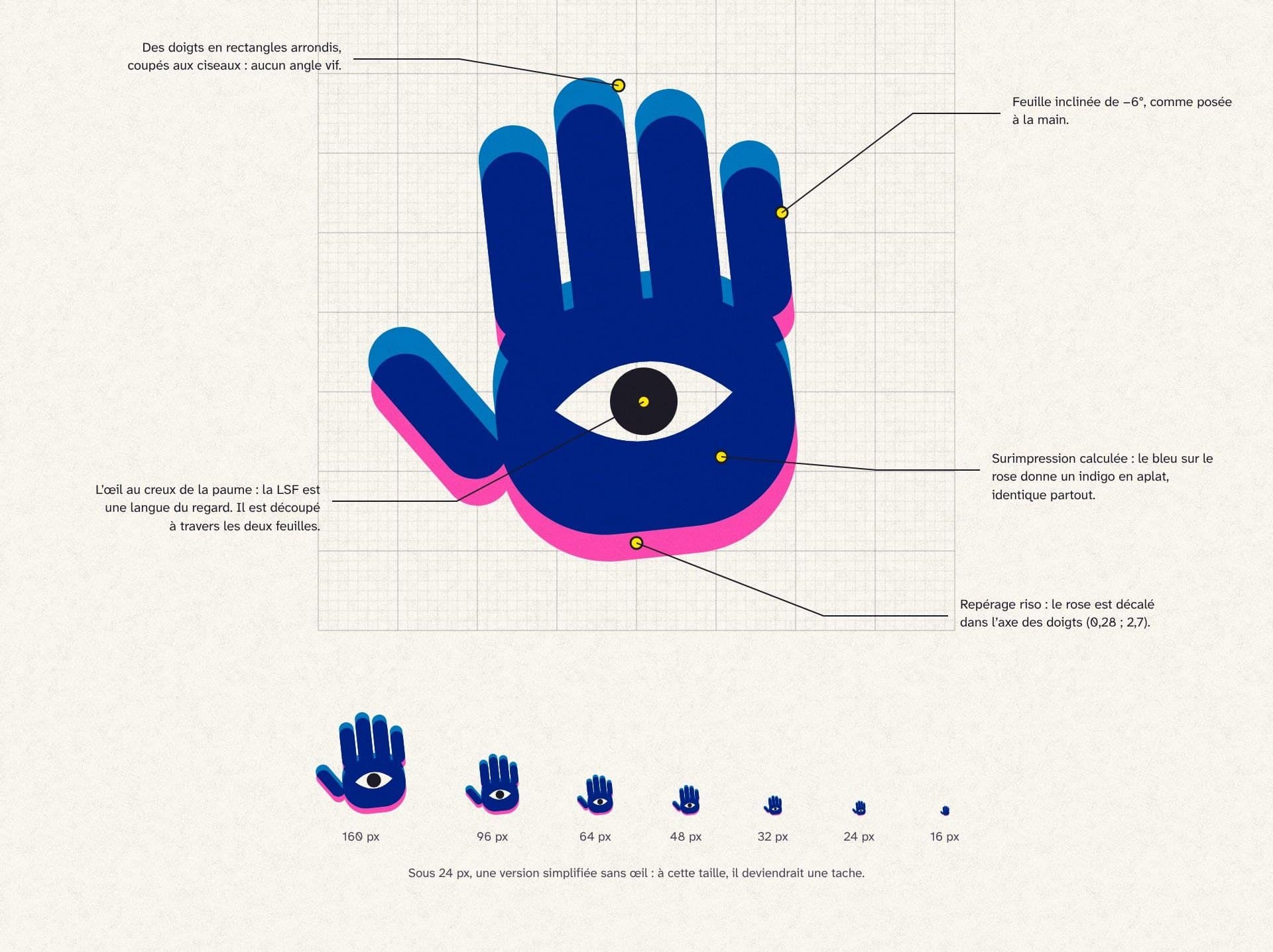
Symbol construction on a grid: rounded fingers, tilted hand, eye, pink registration, and sizes from 128 to 16 px
Pl. 02.4The symbol, built on a 64-unit grid
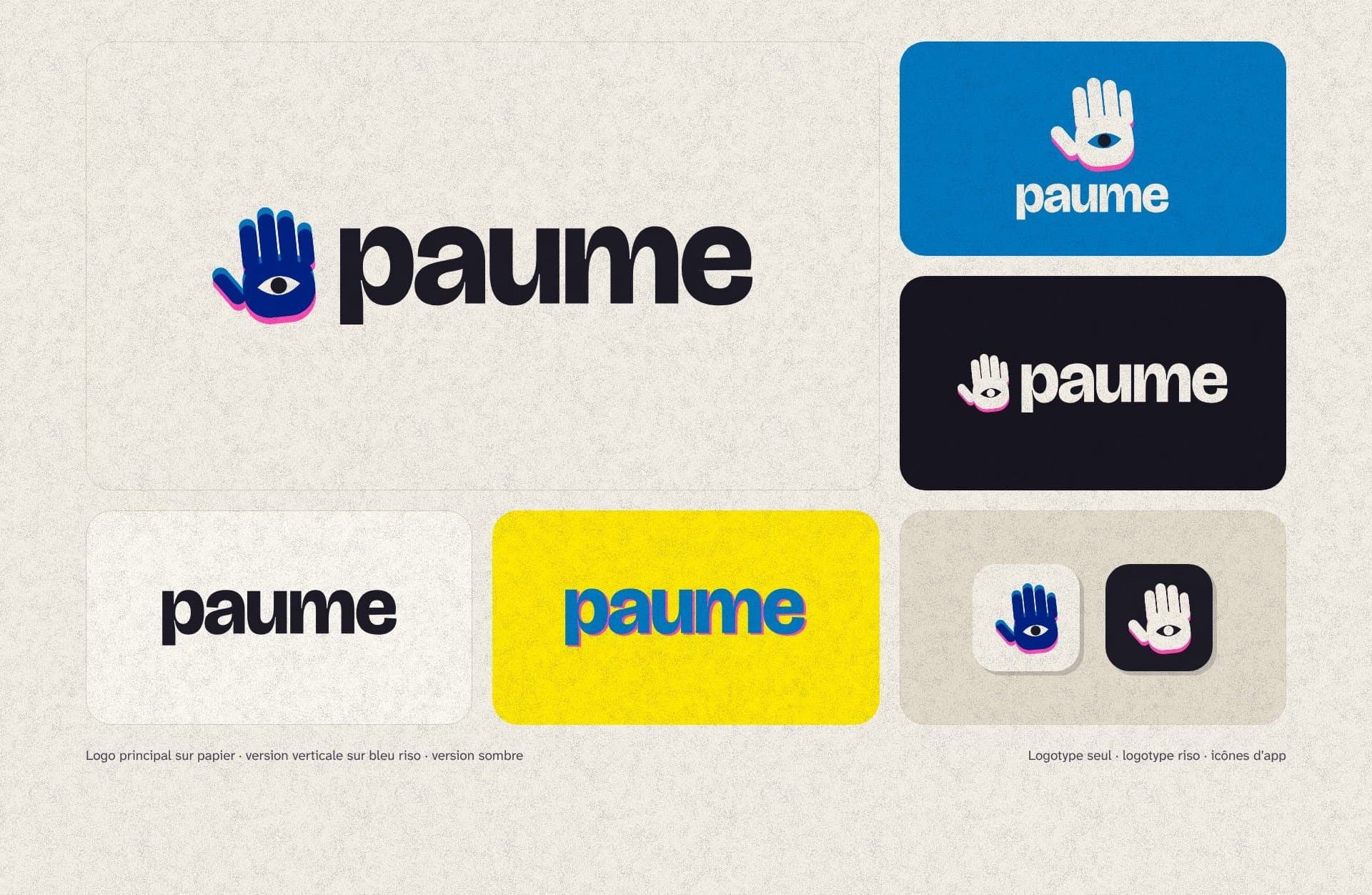
The main logo and its variants: on blue, on ink, wordmark only, riso yellow, app icons
Pl. 02.5The logo and its variants
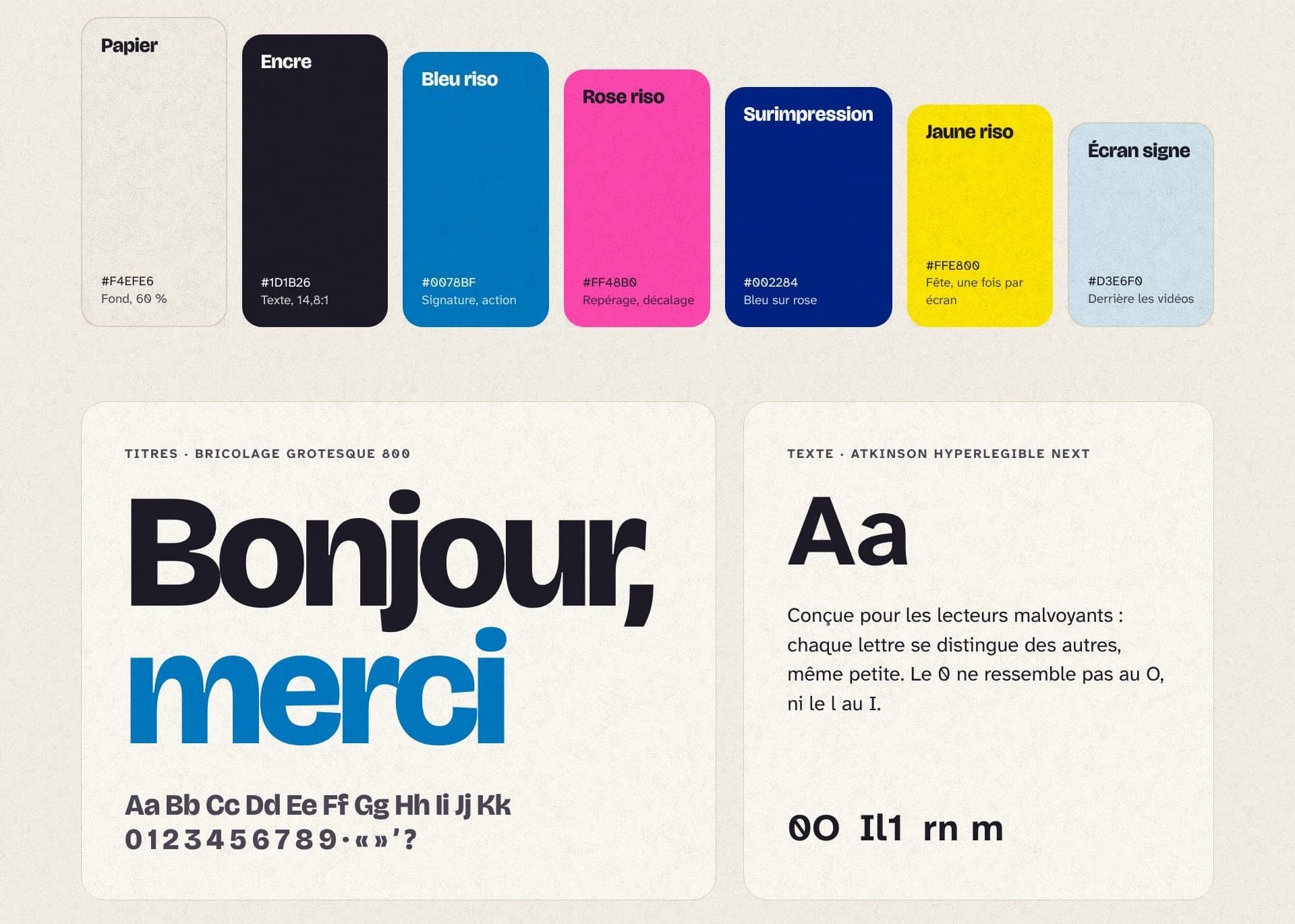
Seven colours: paper, ink, riso blue, riso pink, overprint, riso yellow, sign screen; Bricolage Grotesque and Atkinson Hyperlegible Next
Pl. 02.6Colours and typefaces
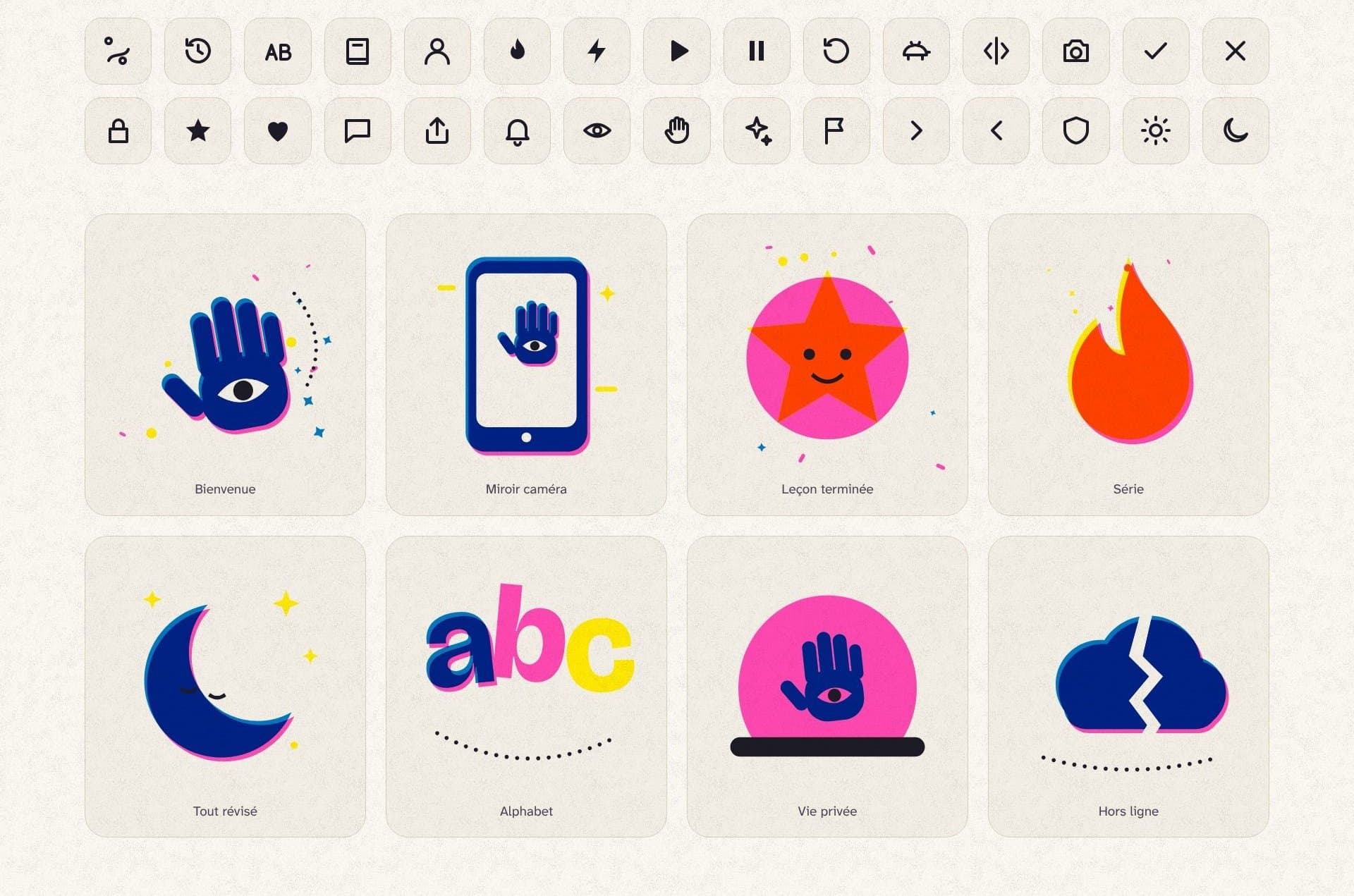
Thirty line pictograms and eight cut-paper illustrations
Pl. 02.730 pictograms and 8 illustrations

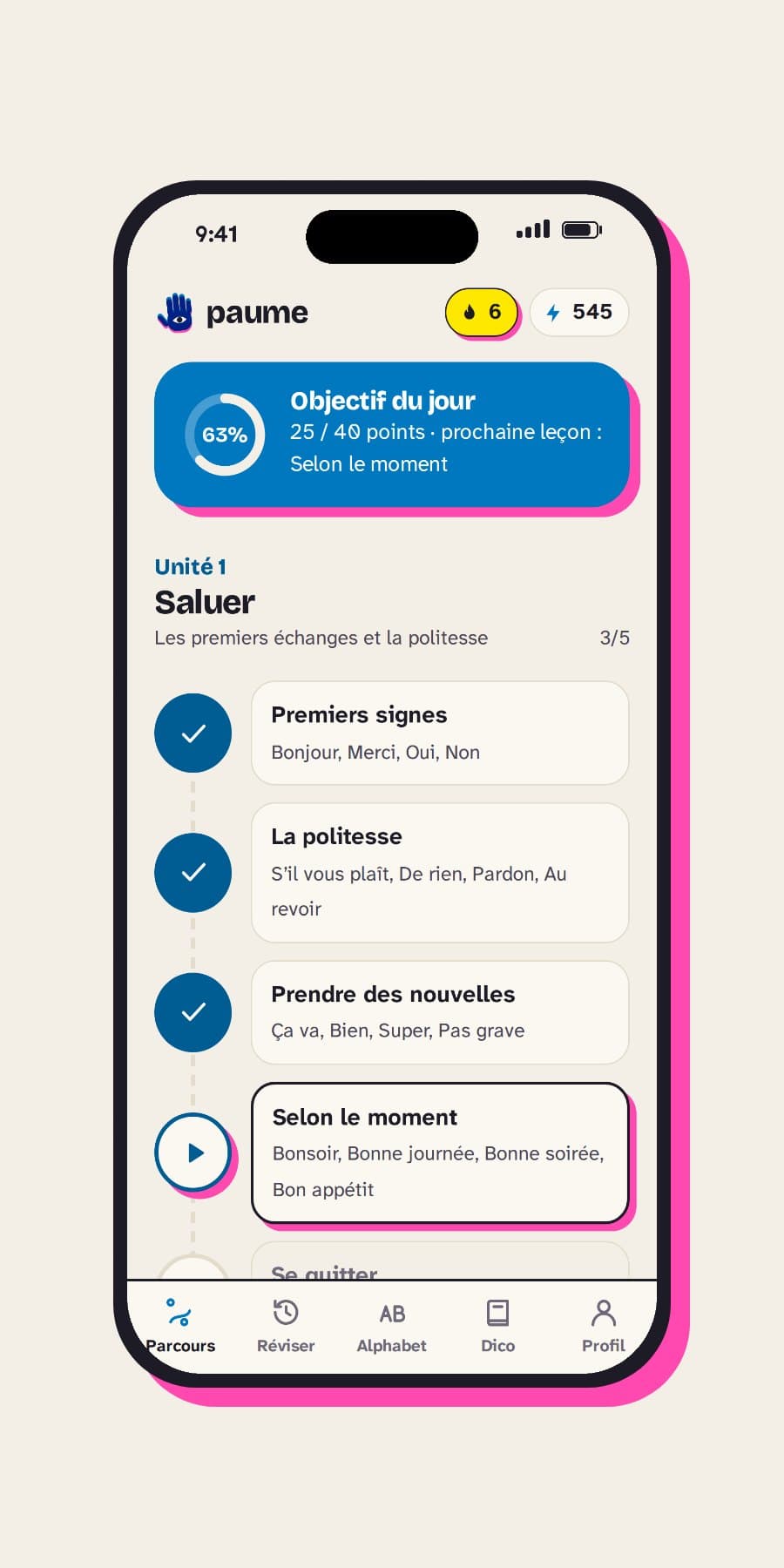
The app’s screens (real screenshots)

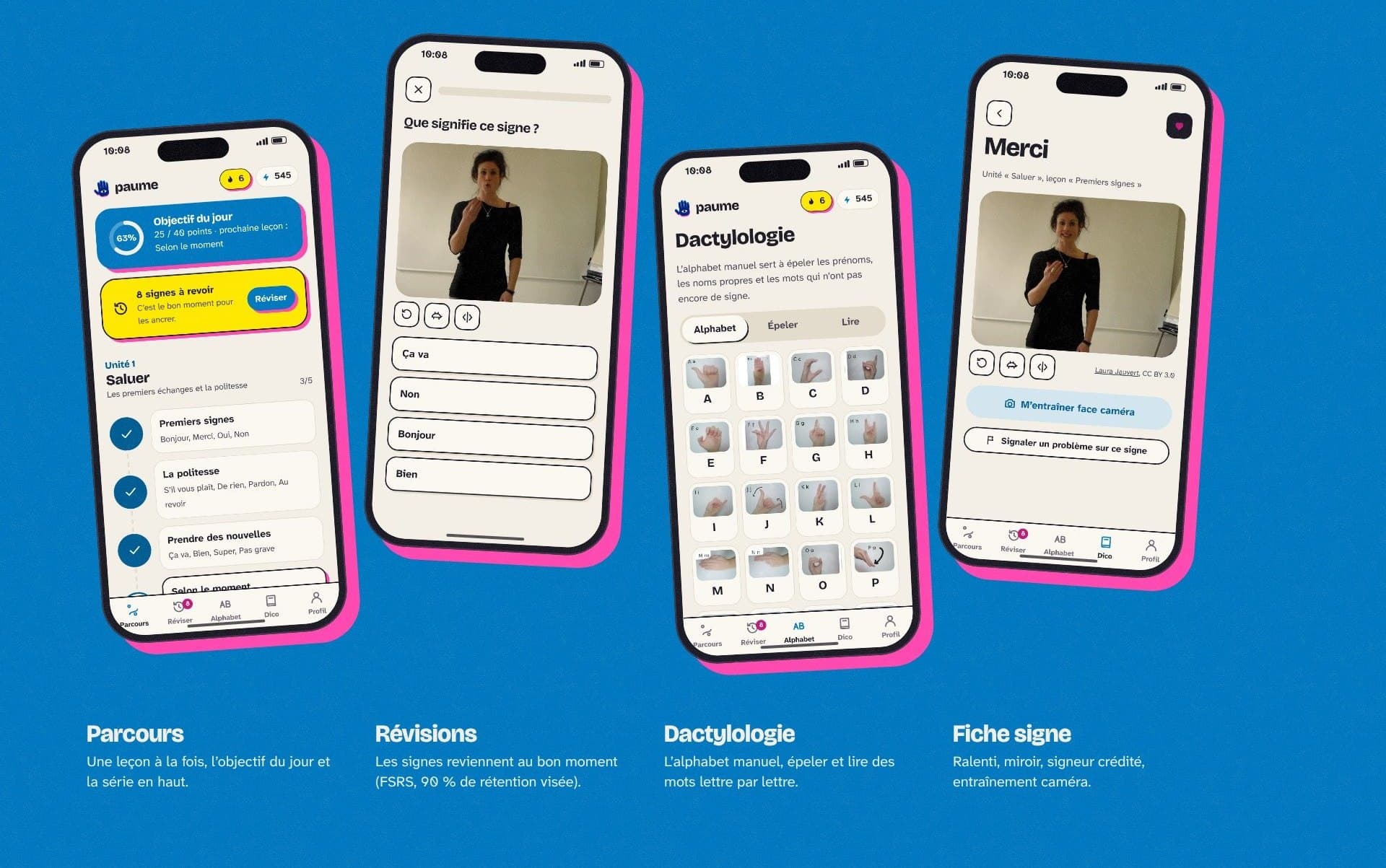
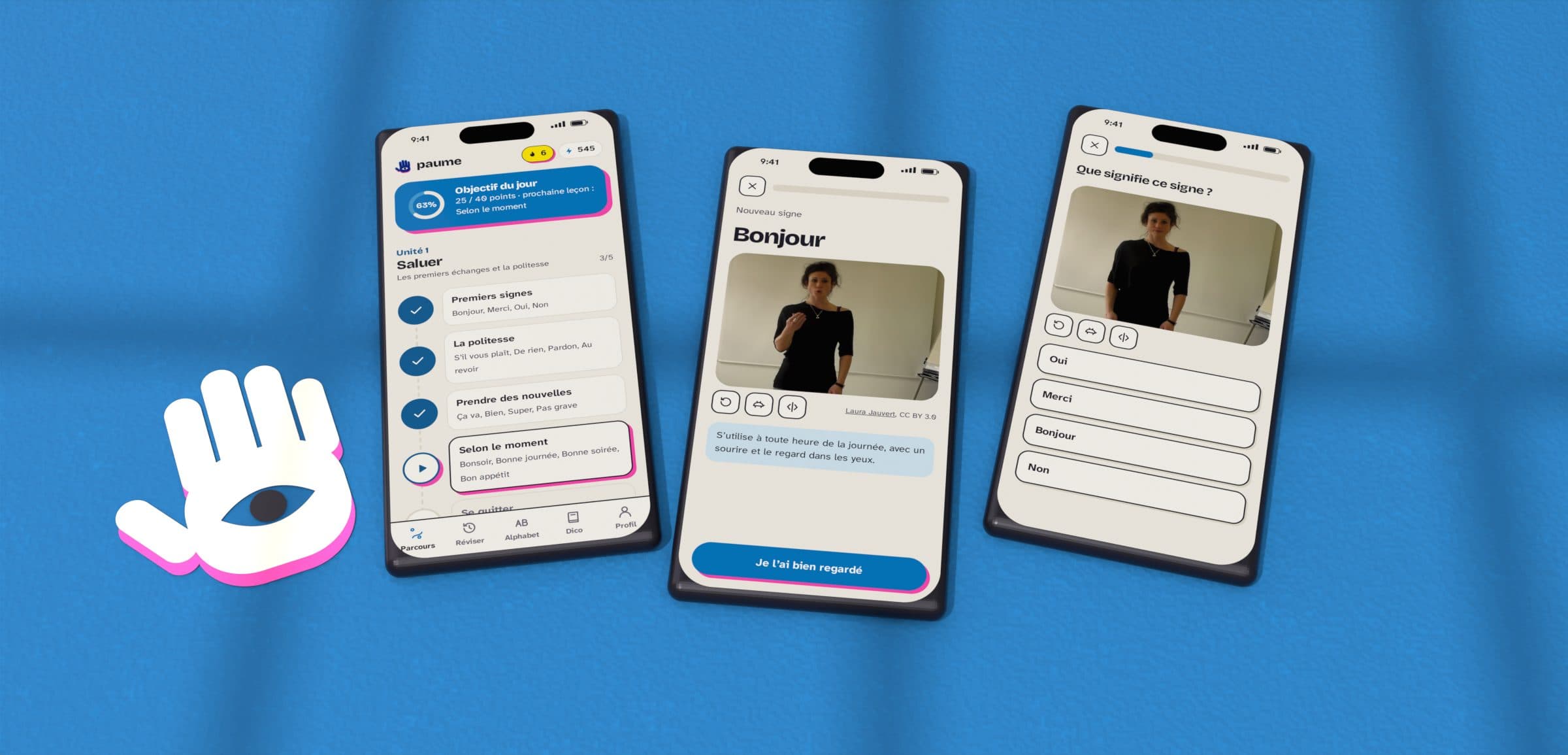
Course screen: daily goal, the Greetings unit and its lessons
Pl. 02.8Course
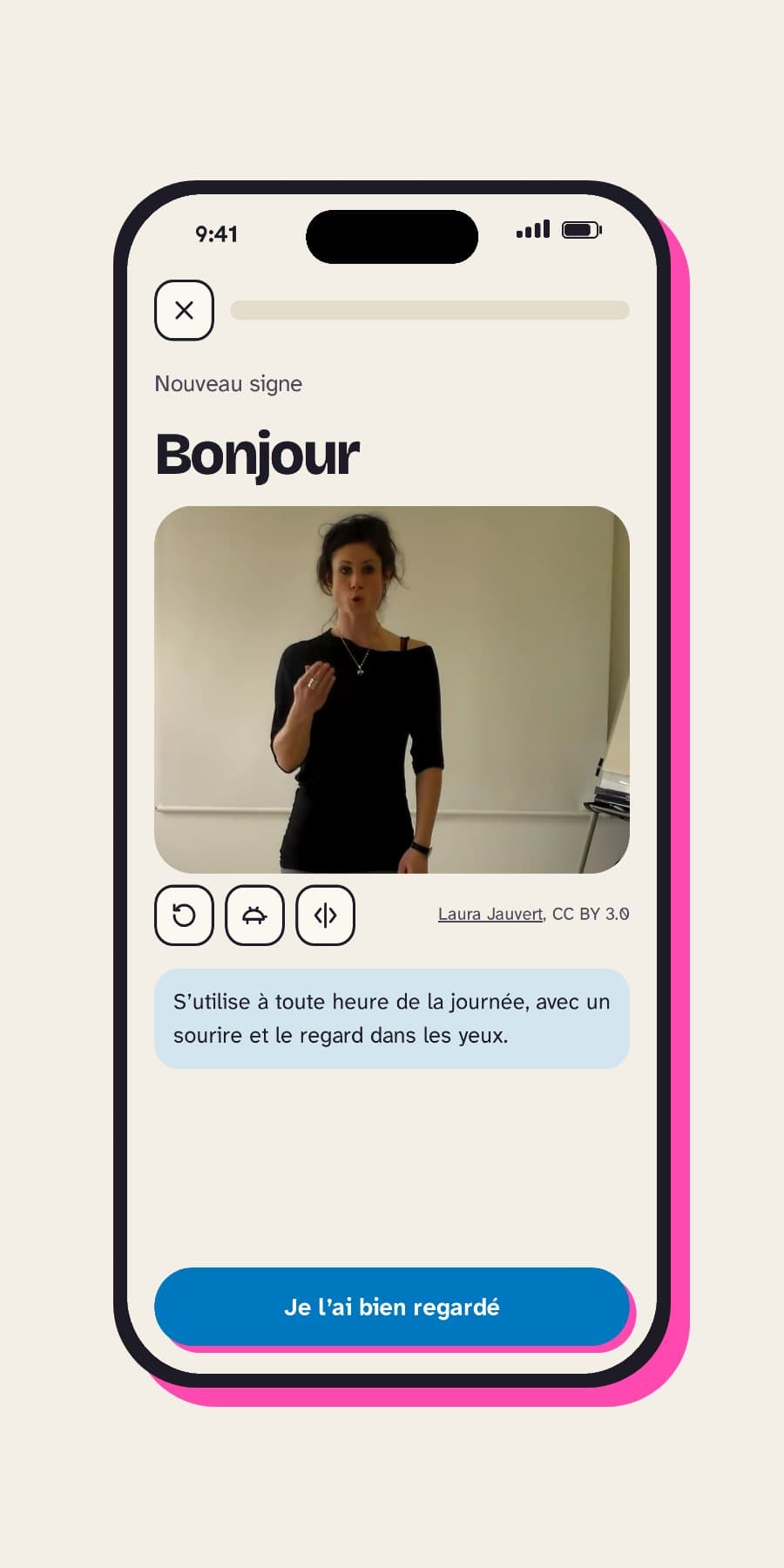
New sign screen: the video of the sign Bonjour and how it is used
Pl. 02.9New sign
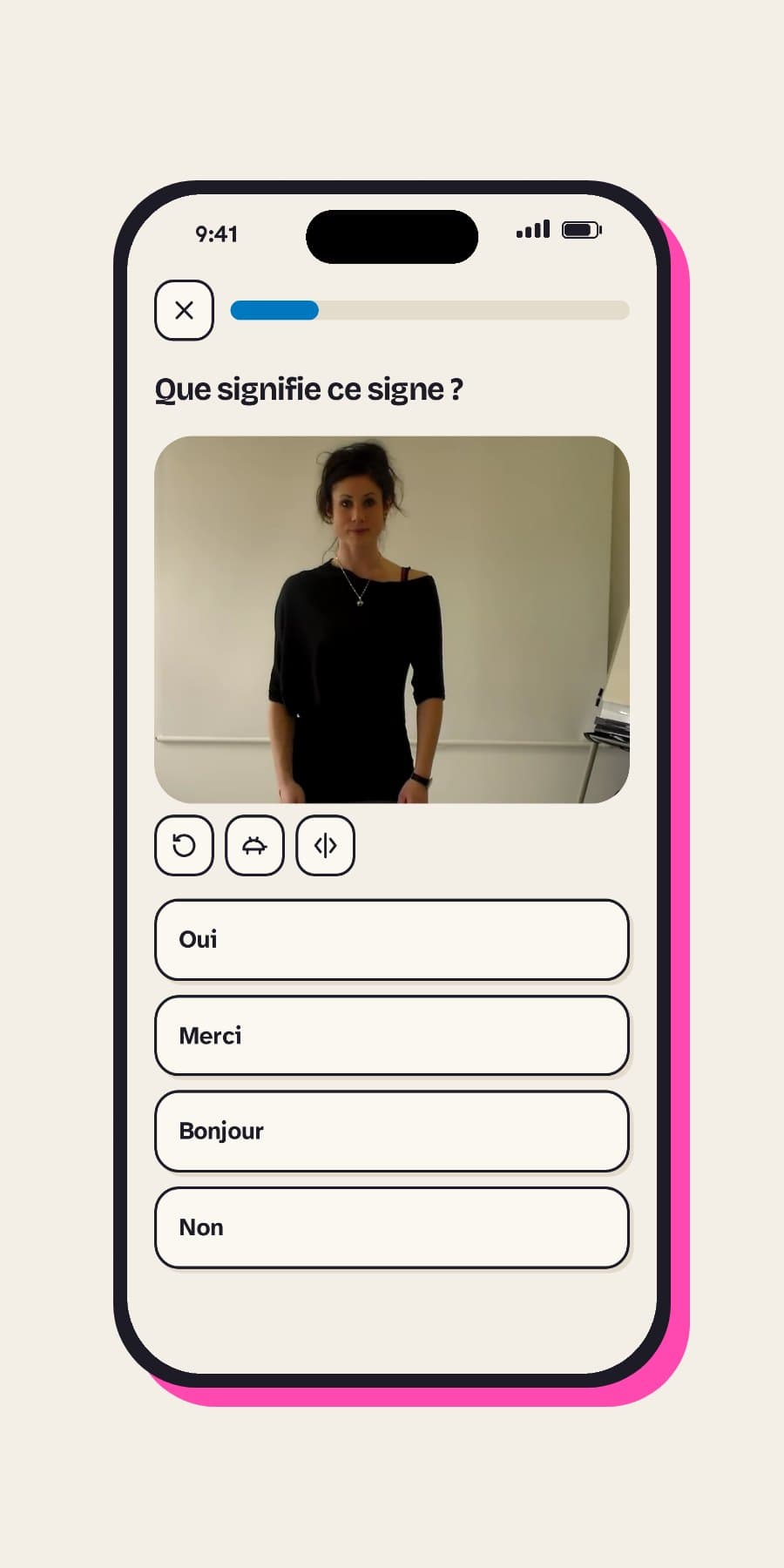
What does this sign mean? screen: one video and four words
Pl. 02.10Recognise
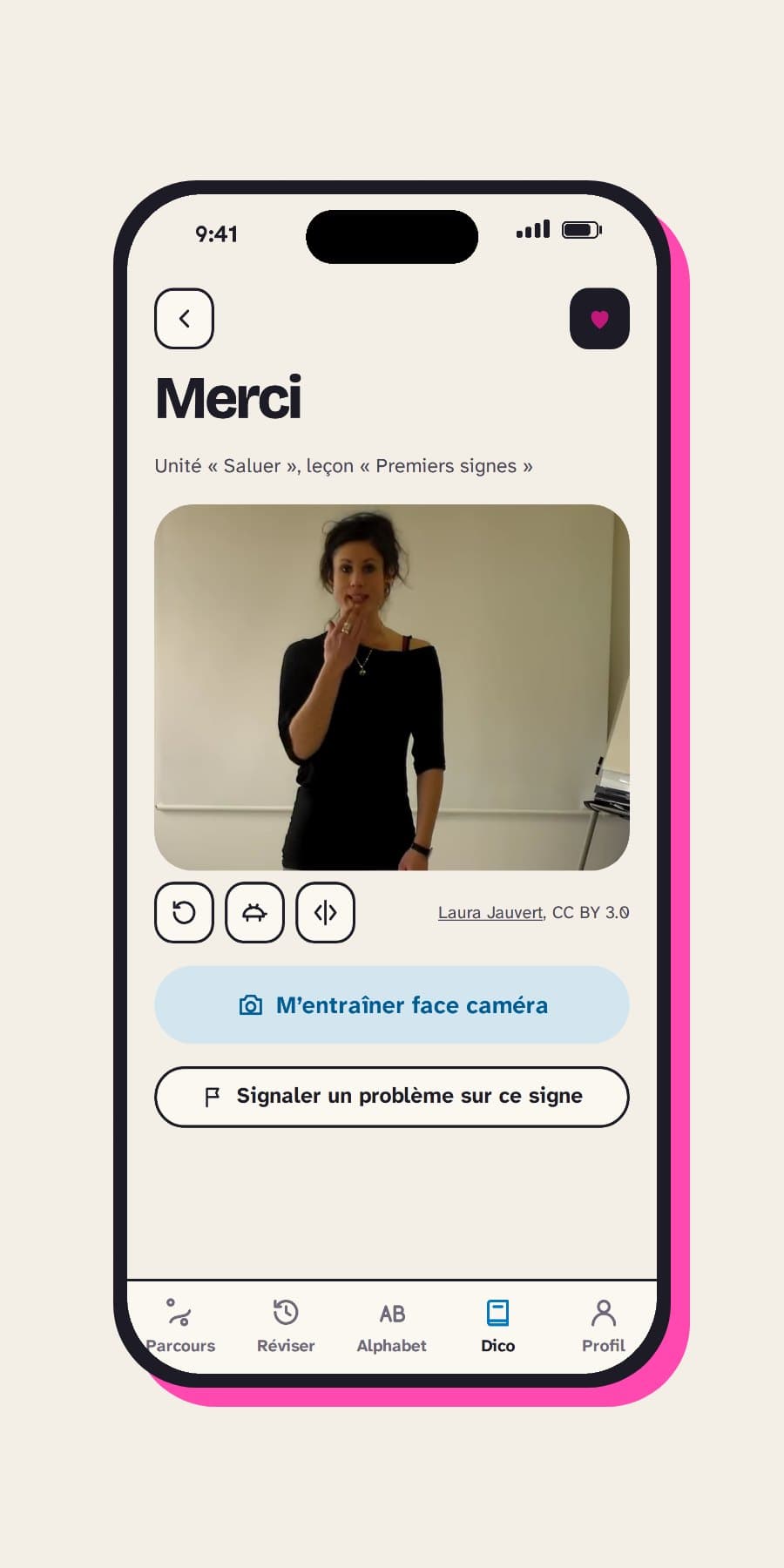
Card for the sign Merci: video, camera mirror and report button
Pl. 02.11Sign card
Six screens of a lesson, from discovering the sign to the Bravo screen
Pl. 02.12A lesson, screen by screen
Four phones on a blue background: course, reviews, fingerspelling, sign card
Pl. 02.13The app day to day
Frame-by-frame analysis of a reference video, the four mirror steps, and the 99 overlaid trajectories
Pl. 02.14The camera mirror: detect, measure, align, advise
Technical diagram: the app on the device, Cloudflare, free videos from Wikimedia Commons, and course figures
Pl. 02.15Architecture: installable, offline, hosted at the edge
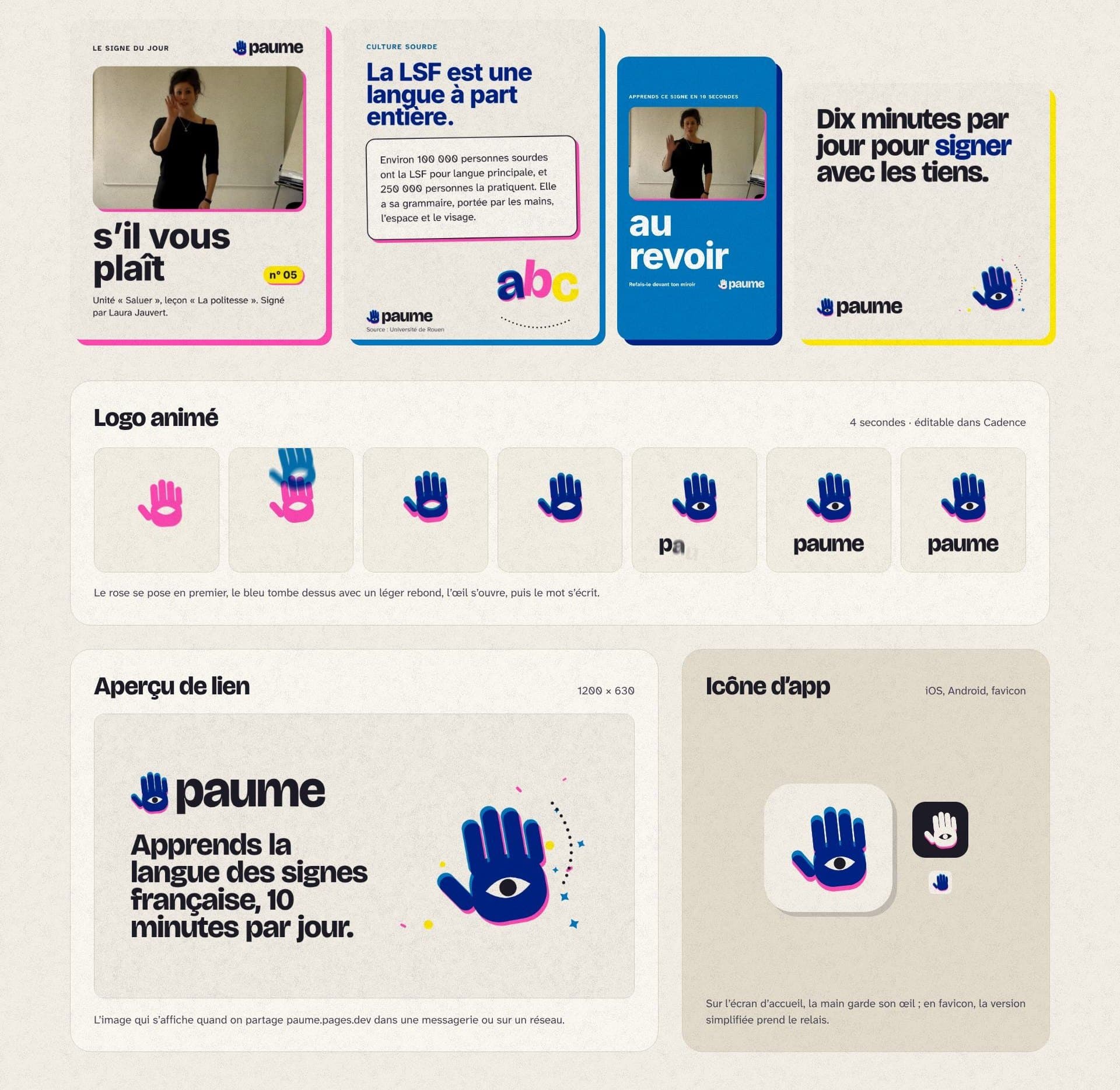
Post and story templates, animated logo, link preview and app icon
Pl. 02.16The brand in use: templates, animated logo, icon

Decisions

01

Do, don’t just watch

Every lesson has you redo each sign straight away, then produce it from memory. Each sign has two review cards: recognise (video to word) and produce (word to sign).
02

The camera stays on the device

The gesture is analysed in the browser and no image is sent anywhere. Progress stays on the phone, with no account and no cookies.

03

Real signers, never a generated sign

Every video shows a real person, credited with their name and licence (Wikimedia Commons). I didn’t want avatars or drawn signs: a wrong sign would be learned just as well as a right one.

04

An eye in the palm

LSF is a language of the eyes, learned with the hands. The symbol is a cut-out hand printed in two riso inks. I shifted the pink almost vertically so it doesn’t streak the fingers at small sizes, and the eye is cut through both sheets.

05

A soft blue behind the signs

Signer videos and photos always sit on a plain soft blue, never on the beige paper or a texture, so the hands stand out.

Results

  • 22Lessons, in 4 units
  • 99Signs filmed by signers, credited
  • 26Letters of the manual alphabet
  • 0Cookies, and no image sent

What I take away

This project taught me to think about identity and product together: the colours, type and shadows in the guidelines are the same variables as in the code. The next step is written into the guidelines: have deaf people review the direction and the course before a wider release, since the eye in the palm is a tribute to their language.

Palette

Colours sampled from the project visuals.

  • Paper#F4EFE6C0 M2 Y6 K4
  • Ink#1D1B26C24 M29 Y0 K85
  • Riso blue#0078BFC100 M37 Y0 K25
  • Riso pink#FF48B0C0 M72 Y31 K0
  • Overprint#002284C100 M74 Y0 K48
  • Riso yellow#FFE800C0 M9 Y100 K0
  • Sign screen#D3E6F0C12 M4 Y0 K6